
(Updated March 2025)
When dealing with a casualty, always look for their phone. It may have medical information and emergency contacts on them. These can often be accessed without unlocking the phone. Here’s how to set it up on your own Andriod phone…..
Setting Emergency Contacts on an Android phone:
Making sure your emergency contacts are always reachable is something we should all keep in mind and your phone is a great place to keep these. If you’re involved in an accident, people helping you will be able to see your emergency information and some emergency contacts. these need to be put into your own phone by yourself in advance.
The great – and very useful – thing about putting this information into your phone is that they can be viewed without having to unlock the phone. The information sits above the lock screen and is there fore accessible to everyone. Please be aware, however, that anyone can see the information you provide if they have access to your phone whether in an emergency or not.
Our previous post covered how to set emergency contacts on an iOS (iPhone) device.
For those of you with Android phones, the process may be different depending on which version of Android you have.
A note on Pre-Jellybean Androids – Jellybean is the operating system used on many Android phones and dates back to 2012. As of 2021, they are no longer receiving updates. You may still be able to add this information in – so give it a try!
Modern Android Phones have “In Case of Emergency (ICE)” contacts as a default feature. To set this, go to your contacts and follow the below steps:
- Select the “Groups” tab.
- Select “ICE – Emergency Contacts”.
- Use the icon to the right of “Find contacts” (a plus sign) to add an emergency contact.
- Select or add a new contact to the group.
- All contacts in this group will be available from the lock screen, so you can call them without unlocking your phone
In This Video We Show You How To Set Up Emergency Information On A Motorola Device:
Another way to add emergency information – use the I.C.E. App.
You can download a specific I.C.E. App from your Playstore. It’s free and sits above the lock screen with an obvious I.C.E. icon.
It is more obvious to people viewing your phone and easier to update. It also doesn’t depend on the model of android you have – it works with all of them.
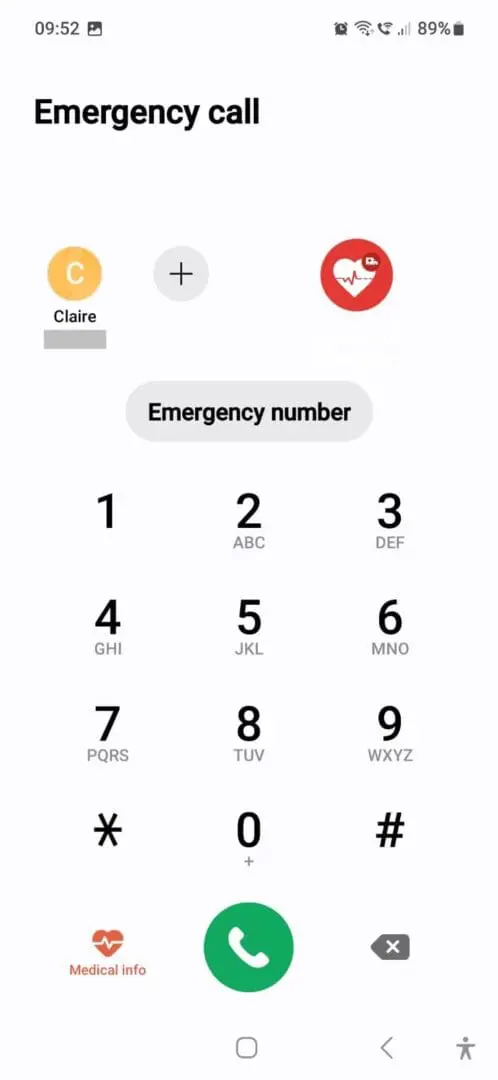
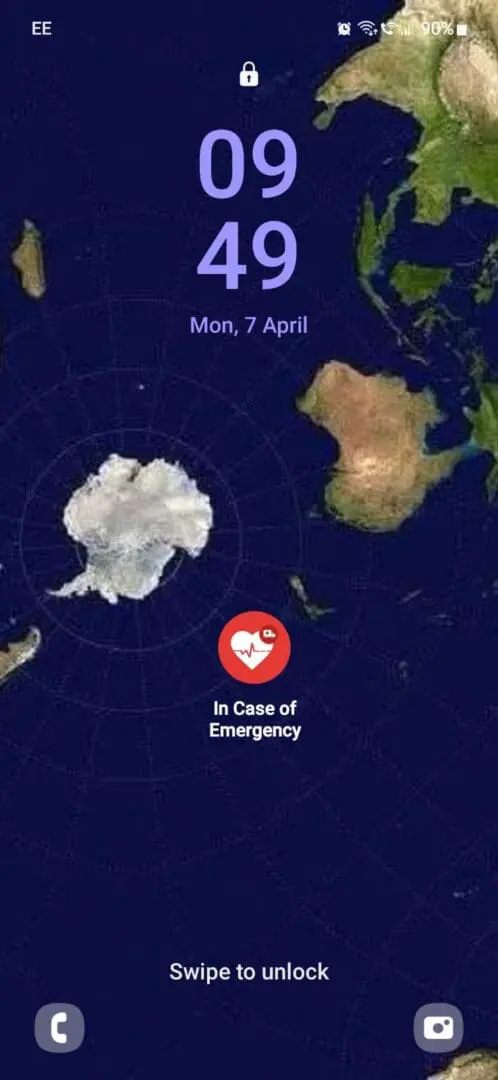
Screen
The Simplest Solution?
As a easy solution which will work on almost any device, set your lock screen wallpaper to a picture with your ICE number in one of the corners.
Adding your personal medical information onto an Android phone:
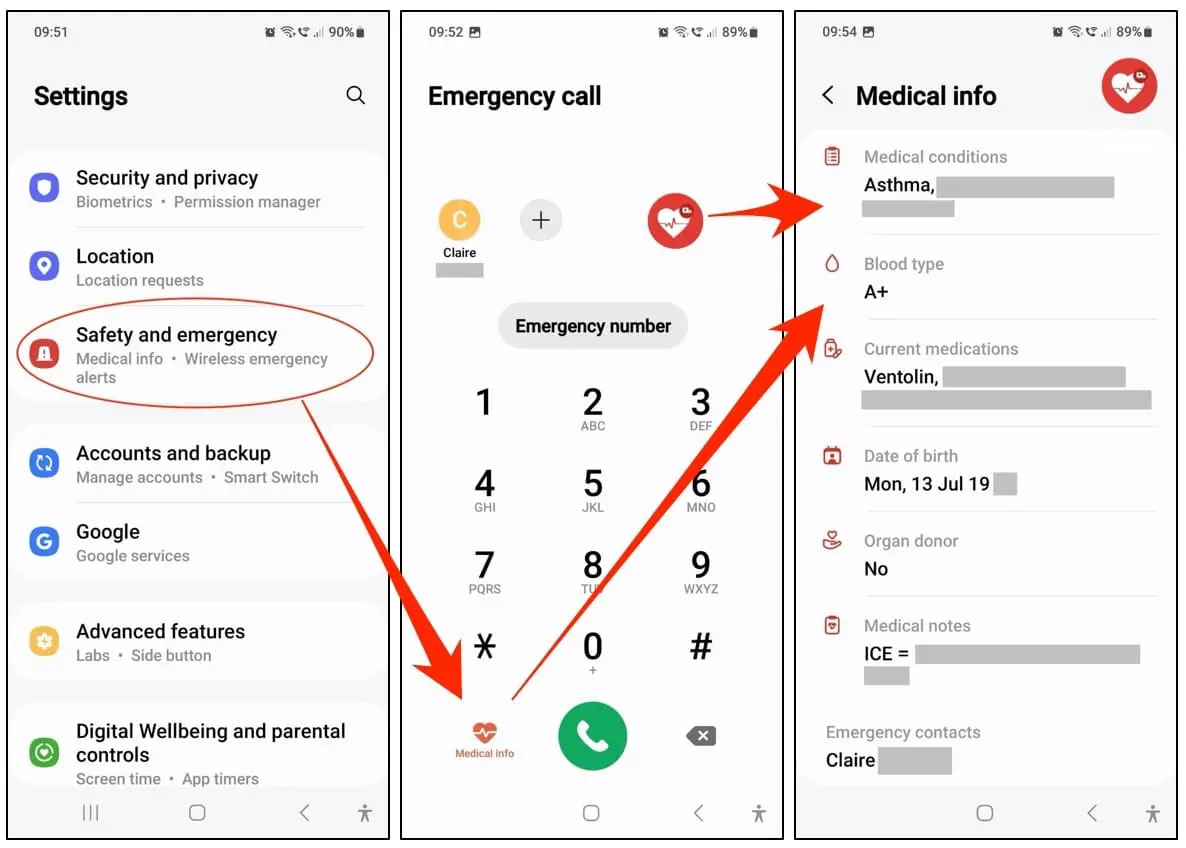
You can also add any medical information onto your phone. This is very useful in case of a accident. You put in what information you feel important – some phones have a pre-set template. This will help anyone coming to your aid as well as emergency services to see your name, age, any medical conditions etc. It is also something to look for when you have a casualty’s phone to hand – always relay any medical information when you phone 999.
This information, once put into your phone by you is also made available for anyone to view as it sits above the lock screen. To input this information, go to your settings and you will find it under ‘Safety and Emergency’ or similar wording. You’ll then see ‘Medical Info’ and ‘Emergency Contacts’ in the options.
Get confident – get trained!
We cover casualty assessments and calling emergency services on our First Aid courses. You can find out more about our range of courses here.
Everyone on our courses receives a FREE digital first aid manual. We have a range of manuals relevant to the courses we teach – Outdoor, Equestrian, First Aid at Work, Paediatric and Sports. They are a great resource that you can download onto your phone or other device and have all that first aid knowledge at your fingertips. You can view them and buy them for less than £5 here.